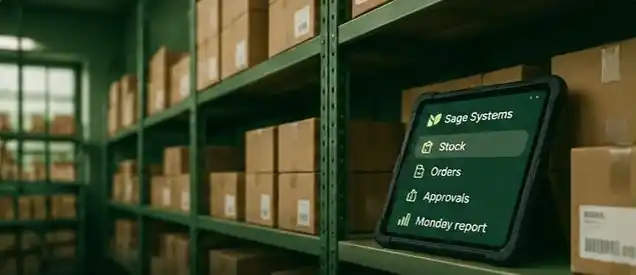
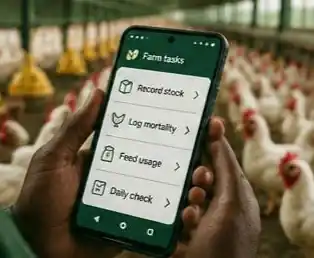
Your business has a system. Now make it software.

Today it lives in notebooks, WhatsApp groups and someone’s memory. We build it into software your team can depend on.

One business, drawn twiceSix parts of a typical operation: stock, orders, reports, payments, follow-ups and approvals. Today they sit in a notebook, a WhatsApp group, a spreadsheet, M-Pesa messages, phone calls and someone's memory, with nothing connected. With Sage Systems they become six modules of one system, each connected to a central hub.
One system. Every part connected.

Sketch your system. Two taps.

Pick your kind of business and what keeps going wrong. We’ll draw who would use the system, what it would contain and what it would send. It’s a starting sketch, not a quote.

01 Your business
02 What keeps going wrong?

Choose up to three.

Example: Retail & distribution with two problems. Change anything to redraw it.See the blueprint
BusinessRetail & distribution
Modules2
Drawn bySage Systems
StatusExample
Retail & distribution · 4 people · 2 modules · 4 outputs
System blueprint: Retail & distributionShop attendant, Stores clerk, Delivery rider, Owner use Stock & production, Orders & fulfilment. The system sends: Low-stock alert by WhatsApp, Daily stock sheet by Excel, Order confirmation by SMS, Pending orders by dashboard.PEOPLEMODULESWHAT IT SENDSShop attendantStores clerkDelivery riderOwnerMODULE 01Stock & productionMODULE 02Orders & fulfilmentWHATSAPPLow-stock alertEXCELDaily stock sheetSMSOrder confirmationDASHBOARDPending orders
System blueprint: Retail & distributionShop attendant, Stores clerk, Delivery rider, Owner use Stock & production, Orders & fulfilment. The system sends: Low-stock alert by WhatsApp, Daily stock sheet by Excel, Order confirmation by SMS, Pending orders by dashboard.PEOPLEMODULES & WHAT THEY SENDShop attendantStores clerkDelivery riderOwnerMODULE 01Stock & productionWHATSAPPLow-stock alertEXCELDaily stock sheetMODULE 02Orders & fulfilmentSMSOrder confirmationDASHBOARDPending orders
Who uses it

Shop attendant, Stores clerk, Delivery rider, Owner

Modules

Stock & production: daily counts, stock in and out, transfers between sites
Orders & fulfilment: orders captured once and tracked to delivery

What it sends

Low-stock alert · WhatsApp
Daily stock sheet · Excel
Order confirmation · SMS
Pending orders · dashboard

AI in this sketch

None needed yet. Agents earn a place when enquiries or paperwork pile up.

Suggested first release

Stock & production, used by the shop attendant and stores clerk. Add the rest once it is in daily use.

Likely build

A web app that works on office computers and staff phones, with nothing to install.

Send this blueprint on WhatsApp Send by email Add details in Start a project WhatsApp or your email app opens with the blueprint written out. Nothing is sent until you press Send. We reply with questions, then book a call before any quote.
AI agents

Agents that ask before they act.

An agent is a tool with permissions. You set the three limits below, and every action it takes is logged so you can check what it did.

Does on its own

Routine and reversible

  • Logs every WhatsApp and email enquiry
  • Sorts enquiries by type and urgency
  • Reads uploaded forms into draft records
  • Sends reminders you have already approved
Suggests, a person approves

Anything a customer reads

  • Replies to customers and members
  • Payment and balance reminders
  • Stock reorders and price changes
  • Corrections to existing records
Never without a person

Money, deletions and promises

  • Moving money or issuing refunds
  • Deleting records
  • Commitments on price, delivery or contracts
  • Medical, legal or financial advice

These are the default limits. We adjust them for your work, in writing, before an agent goes live.
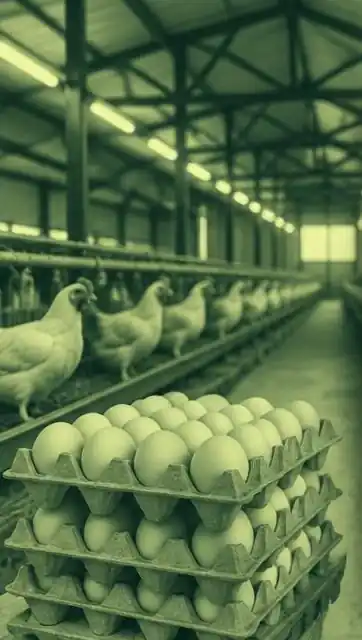
Inside a layer poultry house, with stacked egg trays in the foreground

Illustrative photograph, not the client’s farm

Poultry ManagerSample data
Owner · this week
Production vs salesView
Stock at each outletView
Export for the accountant.xlsx
Farm manager · today’s entry
HouseHouse B · Layers
Eggs collected (trays)46
Mortality2
Feed used (bags)7
Outlet attendant · stock received
Transfer from farmAwaiting count
Trays received38
Difference on countFlagged
ALERT · WHATSAPPCount at the outlet differs from the farm dispatch. The owner has been notified.
ILLUSTRATION · SAMPLE DATA
Our work

A poultry operation, in one app.

A Kenyan poultry producer ran production, outlet stock and sales across separate tools, and was weighing two off-the-shelf products. We built one system instead, modelled on the poultry app the team already knew. Each role has its own screens, stock is tracked between sites, and reports export to a spreadsheet.

  1. Prototype · done
  2. First release · handed over Nov 2026
  3. Pilot · to Jan 2027

The client’s name is withheld until they approve. We’ll publish results after the pilot.

Read how it was built
How we work

From a conversation to software your team uses.

Every build is quoted in writing after discovery.

  1. 01

    Conversation

    You describe the problem. We ask how the work happens today.

  2. 02

    Discovery

    We map the people, steps and records, then agree the blueprint.

  3. 03

    Written quote

    Scope, phases, ownership and support, in writing.

  4. 04

    Prototype

    Clickable screens to test before the real build.

  5. 05

    First release

    The most painful part, built and handed over first.

  6. 06

    Pilot

    Your team uses it on real work. We fix what they find.

  7. 07

    Support

    Changes and fixes on terms agreed at handover.

What does your business run on today?

Tell us in a message. We’ll ask a few questions and book a short call.

Start a project WhatsApp +254 728 958 928